
2.5 KiB
2.5 KiB
ZeroSSL
EasyHAProxy can issue a ZeroSSL certificate. Follow the steps below:
Getting the Keys from ZeroSSL
- Login to ZeroSSL
- If you don't have an account you can use our referral link: https://zerossl.com?fpr=byjg
- If you created recently and would like to support us open an issue, and I'll try to add you as our referred.
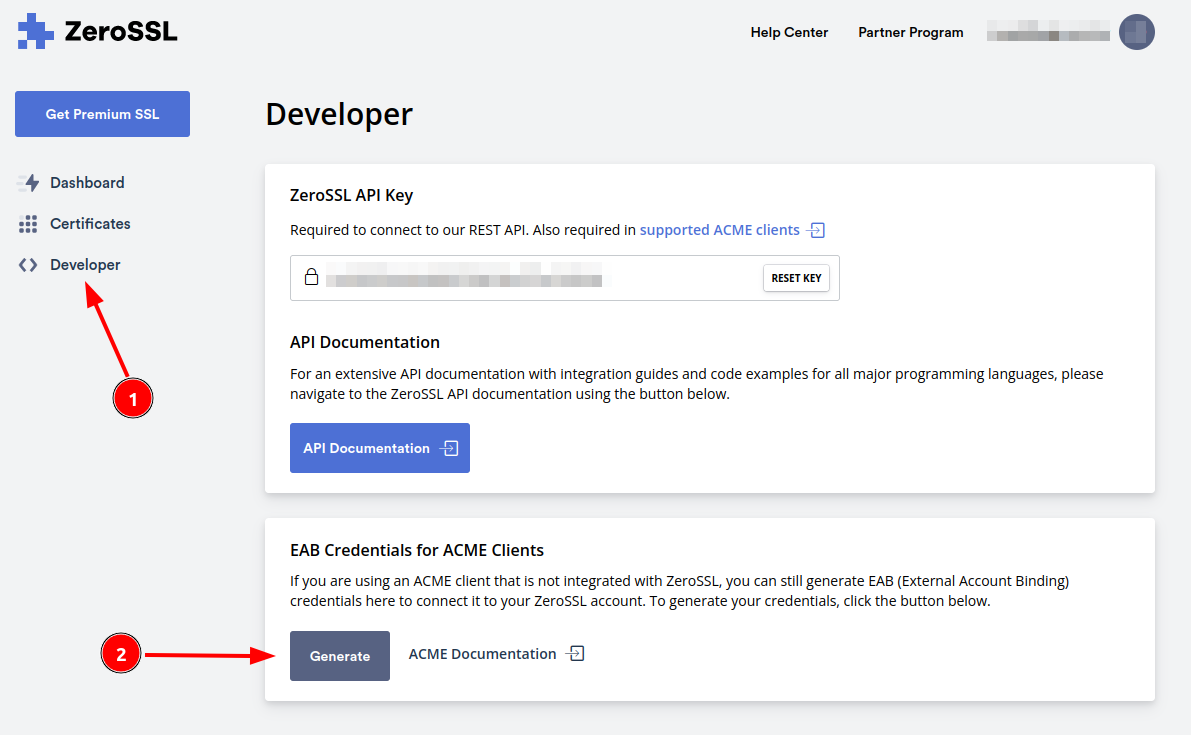
- In the ZeroSSL dashboard click in 'Developer' and the Generate EAB Keys
- Once you generate the keys, please take note. We will need this later, and it isn't saved anywhere.
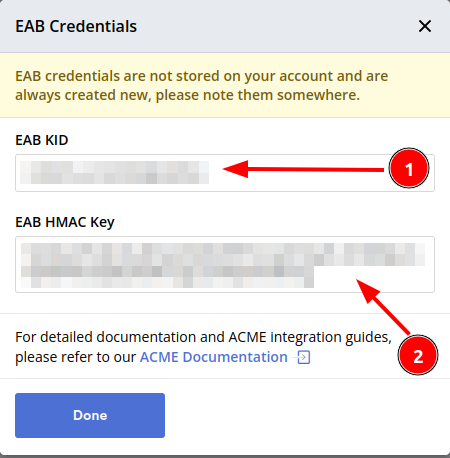
Important: if you to this process again the old values will be lost and you need to setup EasyHAProxy again.
Setting up EasyHAProxy
Run the EasyHAProxy container with the following parameters:
docker run \
    ... \
    -e EASYHAPROXY_CERTBOT_EMAIL="your zerossl email" \
    -e EASYHAPROXY_CERTBOT_EAB_KID="the eab_kid from the previous step" \
    -e EASYHAPROXY_CERTBOT_EAB_HMAC_KEY="the eab_hmac_key from the previous step" \
    -e EASYHAPROXY_CERTBOT_SERVER="https://acme.zerossl.com/v2/DV90" \
    -p 80:80 \
    -p 443:443 \
    -v /path/to/guest/certbot/certs:/certs/certbot \
    ... \
    byjg/easy-haproxy
Notes:
- If you don't setup all
EASYHAPROXY_CERTBOT_*environment variables with the proper values, EasyHAProxy will fail silently and will not request a certificate. - The ports 80 and 443 needs to accessible through the internet as Let's Encrypt requirement
It is required you to persist the container folder /certs/certbot outside the container.
You cannot delete or change it contents. If you do not persist, or change/delete the contents, Let's encrypt will not work properly.
Setting up your container to use ZeroSSL
docker run \
    ... \
    --label easyhaproxy.express.port=80 \
    --label easyhaproxy.express.localport=3000 \
    --label easyhaproxy.express.host=example.org \
    --label easyhaproxy.express.certbot=true \
    ... \
    some/myimage
Requirements:
- Your container must listen to port 80. Letsencrypt will not issue the certificate if
easyhaproxy.<definition>.portis in another port, and EasyHAProxy will fail silently. - You cannot set port 443 for the container with the Letsencrypt because EasyHAProxy will create this port automatically once the certificate is issued.